alexander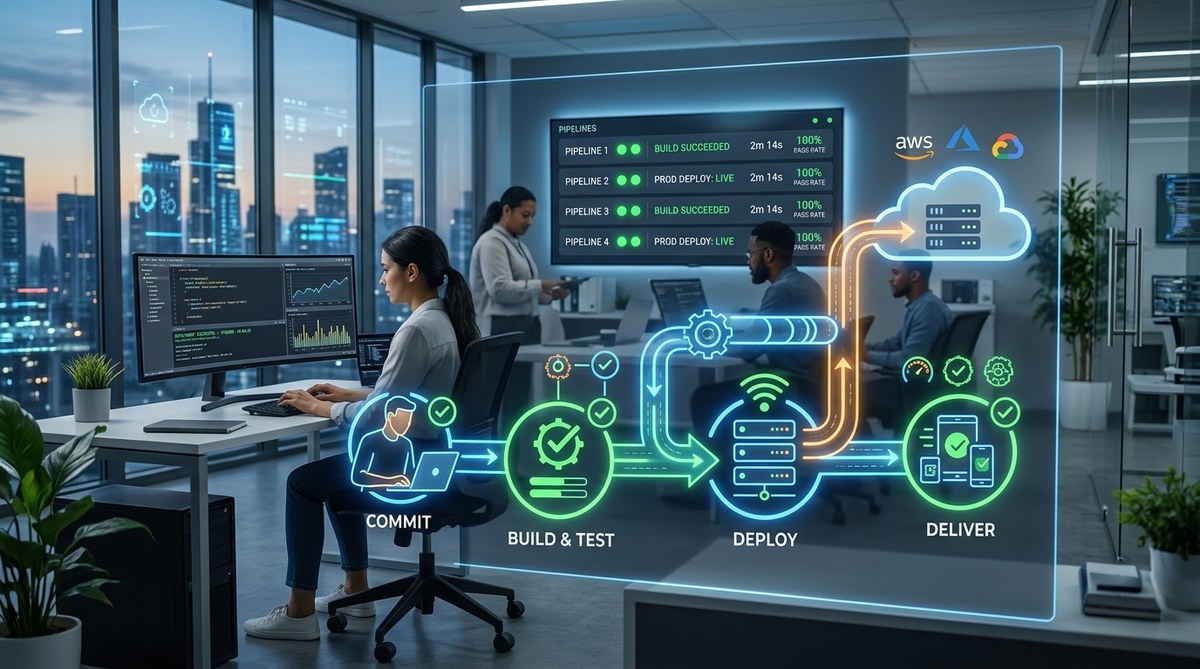
CI/CD conversations used to be about “nice to have.” Teams debated whether automation was worth the setup time. In 2026, that debate is over. The clock speed of software has gone from weekly releases to several per day. Cloud costs demand efficiency. Security exploits find misconfigurations in minutes. A CI/CD pipeline is no longer an option. It is the only way to ship code that works, stays secure, and doesn’t burn your team out.
CI/CD pipelines in 2026 must handle more than build and deploy. They need to integrate AI-assisted security scanning, enforce compliance policies automatically, and give developers feedback in under a minute. Teams that skip these capabilities face slower releases, higher failure rates, and increased vulnerability exposure. This guide covers why a modern pipeline is your best investment this year.
The Changing Landscape of Software Delivery in 2026
Development speed has tripled over the last two years. What used to take a week now takes hours. But speed without safety is a liability. In 2026, the average production deployment includes changes from eight different developers. Manual testing cannot scale. Handoffs between teams create bottlenecks. And the window for fixing a critical bug has shrunk to minutes.
At the same time, AI code assistants are generating more lines of code than ever. That code needs verification, style checks, and vulnerability scans before it reaches production. A CI/CD pipeline acts as the gatekeeper. It runs tests, checks dependencies, and deploys only when every condition passes. Without it, you’re essentially flying blind.
What a Modern CI/CD Pipeline Actually Looks Like
A 2026 pipeline is not just a Jenkins job that runs a few shell scripts. It is a series of automated stages that start the second a developer pushes code. Here is a typical flow:
- Source Stage – Code is pushed to a Git repository. The pipeline triggers automatically.
- Build Stage – Dependencies are installed, and the application is compiled or packed.
- Test Stage – Unit tests, integration tests, and security scans run in parallel.
- Stage Preview – A temporary environment is spun up for manual or automated QA.
- Deploy to Staging – Code goes to a production-like environment for final validation.
- Deploy to Production – The release is rolled out gradually, with automatic rollback on failure.
- Monitor – Logs, metrics, and alerts feed back into the pipeline to catch issues early.
This structure gives every commit a repeatable path to production. It also makes it easy to enforce policies. For example, a pipeline can reject a build if a dependency has a known CVE or if test coverage drops below a threshold.
Why the Old Mental Model No Longer Works
Many teams still think of CI/CD as “run my tests then deploy.” That view is dangerous in 2026. Testing alone is not enough. You need shift-left security, infrastructure-as-code validation, and compliance checks baked into the same pipeline. Splitting these tasks into separate tools creates gaps. A single pipeline that handles everything reduces handoff errors and saves time.
Five Critical Reasons Your Pipeline Is Your Safety Net
-
Automated vulnerability scanning at every commit – Tools like Snyk and Dependabot now integrate directly into pipeline stages. They block insecure dependencies before they ever reach a deploy step. In 2026, this is baseline behavior.
-
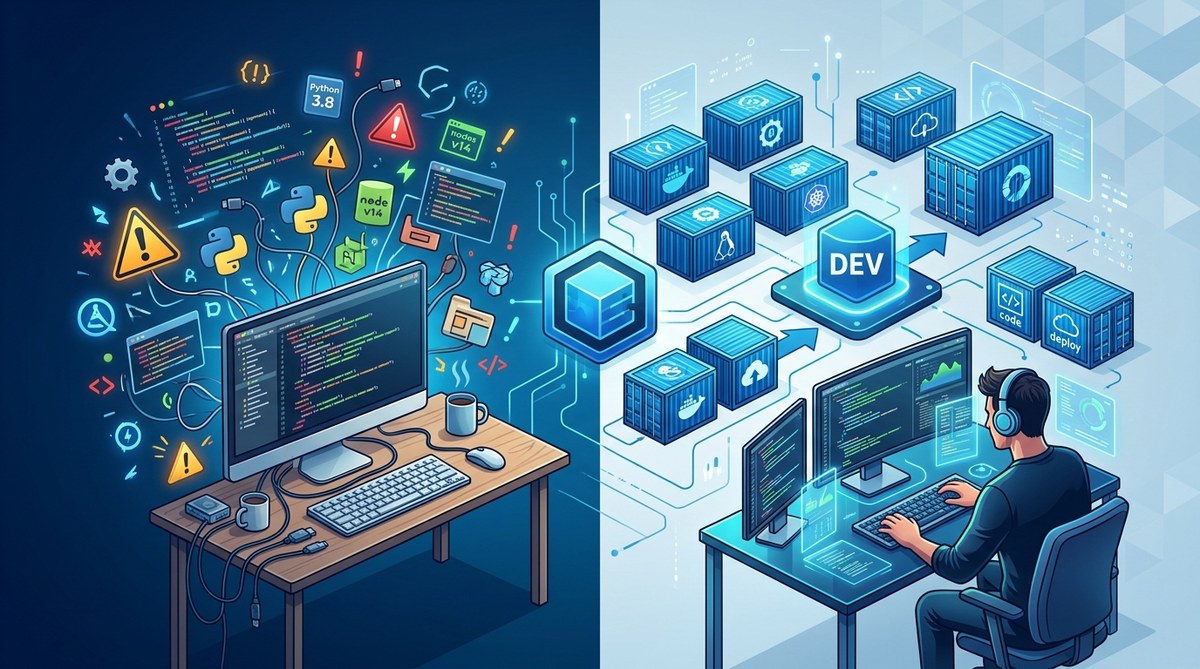
Consistent environments from laptop to cloud – Containerization and ephemeral preview environments ensure “it works on my machine” is a relic. Pipelines build images exactly once and promote them through each stage.
-
Feedback in under 60 seconds – Modern pipelines use smarter test orchestration. They run only the tests affected by a change, then fan out to a full suite only after the smoke check passes. Developers get results before they switch contexts.
-
One-click rollback with full audit trail – When something goes wrong, you need to revert instantly. Pipelines track exactly which artifacts went to production and can relaunch the previous version in seconds, along with a log of who approved the change.
-
Automatic compliance and policy enforcement – Regulations like SOC 2, HIPAA, and PCI require evidence of secure processes. A pipeline can generate reports, enforce branching policies, and require sign-offs without manual paperwork.
Common Mistakes That Break Pipelines (And How to Fix Them)
Building a pipeline is easy. Keeping it healthy is harder. Here are the most frequent issues teams face in 2026:
- Skipping the test stage to save time – This always backfires. A flaky test is better than no test. Invest in test reliability first.
- Hardcoding secrets in variables – Even pipeline environment variables can leak. Use a secrets manager like HashiCorp Vault or cloud-native key stores.
- Not simulating production traffic – Staging without realistic load leads to surprises. Add performance tests that mirror peak patterns.
- Ignoring observability feedback – A pipeline that doesn’t monitor its own performance will degrade silently. Track build times, failure rates, and flaky test counts.
A Practical Table: Old Habits vs. 2026 Best Practices
| Old Habit | 2026 Best Practice |
|---|---|
| Run security scans once a week | Scan every push, block critical CVEs |
| Manually approve every deploy | Approve only when pipeline gates pass |
| Use a single test runner | Parallelize by test type: unit, integration, security |
| Keep secrets in plain text environment variables | Use dynamic secrets with a vault backend |
| Deploy all at once (big bang) | Use canary deployments or feature flags |
Expert advice: “Treat your pipeline like a product. Review its performance metrics monthly. If your build time creeps past five minutes, optimize. If your failure rate rises above 2%, investigate. A neglected pipeline rots faster than any codebase.” – Mia Torres, Platform Engineering Lead at a major fintech firm.
How to Evaluate CI/CD Tools for 2026
The tooling landscape has matured. Standalone CI servers are being replaced by integrated platforms that handle source control, CI, CD, and observability in one place. Look for these features when choosing what to use in 2026:
- Native support for Kubernetes and serverless – Your pipeline should deploy to any target without plugins.
- AI-assisted pipeline optimization – Some tools now suggest parallelization steps and detect flaky tests automatically.
- Granular access controls – Not everyone needs permission to change the pipeline configuration. Enforce separation of duties.
- Built-in artifact management – Avoid juggling Docker registries and package repositories separately. A single storage layer reduces complexity.
- Cost transparency – Cloud CI minutes can spiral. Look for tools that let you set spending limits and show per-pipeline costs.
For a deeper look at the platforms that top teams rely on, check out our guide on the top dev tools every programmer should master in 2026. It covers both cloud-native options and lightweight alternatives for smaller projects.
Making the Shift Without Grinding Your Team to a Halt
You don’t need to rewire your entire workflow overnight. Start with one service or microservice. Set up a pipeline that builds, tests, and deploys it. Once that runs smoothly, add security scanning. Then add staging environments. Gradually, your team will see the benefits. Faster feedback, fewer late-night rollback panics, and more confidence in every release.
Resistance often comes from developers who view the pipeline as a bureaucracy. Combat that by involving them in the design. Let them choose the test framework and help define the stages. When they own the pipeline, they treat it as a tool, not a gatekeeper.
For ideas on how to integrate collaboration into your new pipeline, read about boost your coding efficiency with these innovative collaboration platforms. Pair programming and peer review hooks inside CI are becoming standard.
Your Next Move: Start Small, Then Scale
The biggest risk in 2026 is not adopting a CI/CD pipeline. The second biggest risk is overcomplicating it. Pick one codebase. Write a pipeline file. Push a commit. Watch it run. Then iterate. Add one improvement every sprint. Within a quarter, your team will wonder how they ever lived without it.
The data backs this up. High-performing DevOps teams deploy 208 times more frequently than low performers. They have a 7x lower change failure rate. Those numbers come from organizations that treat their pipeline as the heart of their development process. Your team can be one of them.
If you are still evaluating which tools and practices fit your workflow, our ultimate guide to modern dev tools for accelerating software development has detailed comparisons and real-world case studies. It is a practical resource to help you move from planning to shipping.
The clock is ticking. Your competitors are already iterating faster and more safely. A CI/CD pipeline in 2026 is your ticket to keeping up without burning out. So go write that first pipeline. You will thank yourself after the first automated rollback saves a Friday deployment.