alexander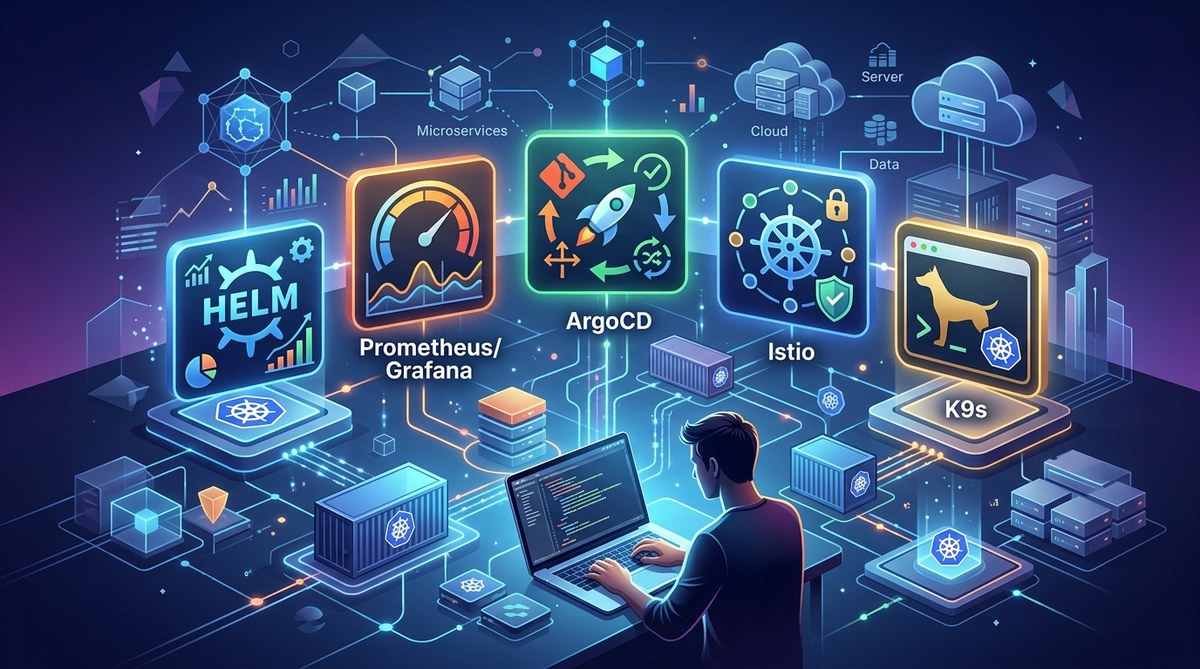
Managing Kubernetes in 2026 feels a lot like driving a race car while checking the engine at the same time. The platform is powerful, but without the right instruments, you’re just spinning your wheels. The ecosystem has matured, and the tools available today are smarter, lighter, and more integrated than ever before. Whether you’re running a five-node cluster for a side project or orchestrating hundreds of microservices in production, the right Kubernetes tools can save you hours of frustration.
This article covers five essential Kubernetes tools for 2026 that every developer should add to their workflow. You’ll learn how K9s gives you a terminal UI that beats raw kubectl, why Argo CD is the GitOps standard, how Keda handles event-driven scaling, what Kubescape does for security, and how OpenLens simplifies cluster monitoring. Each tool solves a real pain point.
Why You Need to Rethink Your Tool Stack
Kubernetes itself is stable, but the surrounding tooling changes fast. Sticking with just kubectl and the default dashboard is like using a hammer when you need a drill. The tools I’m about to show you are built to handle the specific headaches of 2026: multi-cluster management, rising cloud costs, security compliance requirements, and the need for automated scaling in response to real-time events.
If you’re still relying on older workflows, check out our guide on top dev tools every programmer should master in 2026 for a broader view of the landscape.
The 5 Kubernetes Tools That Will Save Your 2026
Here’s the lineup. Each tool targets a different part of the Kubernetes experience: navigation, deployment, scaling, security, and observability. You don’t need all five at once, but once you try them, you won’t want to go back.
1. K9s: The Terminal UI That Makes kubectl Feel Ancient
If you spend any time in a terminal, K9s is a game changer. It’s a curses-based UI that lets you browse your cluster, inspect pods, view logs, and even exec into containers without typing long commands. It works with any kubectl context, so you can switch between clusters easily.
Why it matters in 2026: Kubernetes namespaces and resource types have only grown more complex. K9s gives you a bird’s eye view with filtering, searching, and real-time updates. You can delete stuck pods, restart deployments, and port forward with a few keystrokes.
Key features:
- Lightweight and runs in any terminal (no GUI required)
- Built-in support for Helm releases, CRDs, and custom resource views
- Skinnable and scriptable for advanced workflows
K9s is also a great entry point for developers who feel intimidated by the command line. If you want to reduce friction in your daily tasks, it’s the first tool to install.
2. Argo CD: GitOps Done Right
Most teams have moved beyond manual deployments. Argo CD is the reigning champion of GitOps for Kubernetes. It syncs your cluster state with a Git repository, so every change is auditable, reversible, and declarative.
Why it matters in 2026: With tighter security requirements and the need for traceability, GitOps is no longer optional. Argo CD handles multi-cluster deployments, supports sync waves, and integrates with your CI pipeline. It also offers a clean web UI and a CLI.
Practical use case: Your team merges a PR to the main branch of your configuration repo. Argo CD detects the change, syncs it to the staging cluster automatically, and then after manual approval, promotes to production. No more SSHing into nodes or running risky scripts.
For a deeper look at automating your entire pipeline, see our article on why integrating a CI/CD pipeline is non-negotiable in 2026.
3. Keda: Event-Driven Autoscaling Without the Bloat
Horizontal Pod Autoscaler (HPA) based on CPU and memory is fine for traditional workloads. But modern apps scale based on message queue length, HTTP request rate, or custom metrics. Keda (Kubernetes Event Driven Autoscaling) bridges that gap.
Why it matters in 2026: Serverless and event-driven architectures are mainstream. Keda works with dozens of scalers out of the box: Kafka, RabbitMQ, Prometheus, AWS SQS, Azure Queue Storage, and more. It also handles scaling to zero when there’s no work, saving cloud costs.
How it works:
- Install Keda into your cluster (Helm chart or YAML)
- Define a
ScaledObjectthat points to your deployment and the event source - Keda creates an HPA under the hood and adjusts replicas based on the external metric
Keda is a beautiful example of taking the complexity out of custom autoscaling. If you’re building data pipelines or API backends, this tool will pay for itself in a month.
4. Kubescape: Security Scanning That Doesn’t Suck
Security in Kubernetes is a moving target. Kubescape is an open-source tool that scans your clusters, YAML files, and Helm charts against the NSA/CISA Kubernetes Hardening Guidance and other frameworks. It runs as a CLI, a web UI, or a Kubernetes operator.
Why it matters in 2026: Compliance standards (SOC 2, HIPAA, PCI DSS) increasingly require automated security checks. Kubescape integrates directly into your CI/CD pipeline and can block deployments that violate policies. It also detects misconfigurations like running containers as root, missing resource limits, or overly permissive RBAC.
Table: Common Security Issues Detected by Kubescape
| Issue | Severity | How Kubescape Helps |
|---|---|---|
| Container running as root | High | Flags privilege escalation risks |
| No resource limits set | Medium | Recommends CPU/memory limits |
| Pods with hostNetwork access | Critical | Identifies potential network exploits |
| Unencrypted secrets | High | Warns about base64 encoding vs proper encryption |
| Missing network policies | Low | Suggests default deny rules |
Running Kubescape weekly can turn a messy cluster into a compliant one. For more on security, see our top web hosting security practices every developer should implement (the principles transfer to Kubernetes clusters too).
5. OpenLens: The Desktop Client That Replaced the Kubernetes Dashboards
OpenLens (the open-source fork of Lens) is a desktop application that gives you a visual, multi-cluster management experience. It connects to any kubeconfig context and shows you a real-time view of your nodes, workloads, logs, and metrics.
Why it matters in 2026: The original Lens went proprietary, but the open-source community kept OpenLens alive and thriving. It’s now the most popular desktop tool for Kubernetes. You can install extensions for Prometheus metrics, Helm charts, and custom resource monitoring.
Key benefits:
- Multi-cluster: Switch between dev, staging, and prod with one click
- Live logs and terminal: No need to
kubectl exec -- tail -fmanually - Resource editor: YAML edit with live preview and validation
OpenLens is particularly useful for developers who prefer a GUI over the terminal. It doesn’t replace K9s, but complements it for visual debugging sessions.
How to Pick the Right Tool for Your Workflow
Not every tool fits every team. Here’s a decision framework.
- Are you a CLI power user? Start with K9s. It’s the most versatile.
- Do you need automated deployments? Argo CD is your best friend.
- Are your workloads event-driven? Keda will save your cloud bill.
- Is security a top concern? Run Kubescape in your CI.
- Do you want a visual overview? Install OpenLens on your machine.
Many teams use all five, but you can begin with two and grow from there.
For a complete set of tools to accelerate your coding, check out the best dev tools to accelerate your coding workflow in 2026.
Expert advice: “Don’t try to automate everything at once. Pick one pain point (like pod logs or deployment rollbacks) and solve it with one tool. Once your team adopts that, move to the next. Overloading developers with new tools causes resistance.” – Maria L., Senior DevOps Engineer at a fintech startup.
A Simple Setup Sequence for New Users
If you’re starting from scratch, follow this numbered list to get all five tools running in an afternoon.
- Install K9s via homebrew (
brew install k9s) or download the binary. Point it at your current kubeconfig and start navigating. - Install OpenLens from the official GitHub releases. Connect it to the same kubeconfig for visual monitoring.
- Install Kubescape using the Helm chart or standalone binary. Run
kubescape scan --framework nsato get a baseline security score. - Install Argo CD in your cluster using the official manifests. Configure a Git repository with your application manifests and sync.
- Install Keda via Helm and create a
ScaledObjectfor a deployment that uses a message queue (example: RabbitMQ). Watch replicas scale up and down automatically.
That’s it. You now have a modern Kubernetes toolset that handles production load.
Your Next Move: Audit Your Current Stack
The best time to try these tools was yesterday. The second best time is today. Kubernetes is only getting more complex, and the tools are there to make your life easier.
If you’re still using only kubectl and raw manifests, you’re missing out on productivity gains that your peers have already adopted. Pick one tool from this list this week, install it, and use it for a single task. You’ll see the difference in hours.
For more handpicked tools across the full dev lifecycle, read our list of 10 must-have dev tools to supercharge your 2026 workflow. And if you’re looking to improve how your team collaborates around deployments, our top collaboration tools every developer needs for seamless teamwork guide has you covered.
The Kubernetes landscape in 2026 is vast, but with these five tools in your belt, you’ll move from surviving to thriving. Happy clustering.